AI-generated page. This page was automatically generated from a source and a project page and may contain inaccuracies or outdated information. Please verify details with the original source.
Donkey Kong 64: Recompiled — Android & Dual Screen
An unofficial Android port of Donkey Kong 64: Recompiled with full dual-screen support for the AYN Thor.
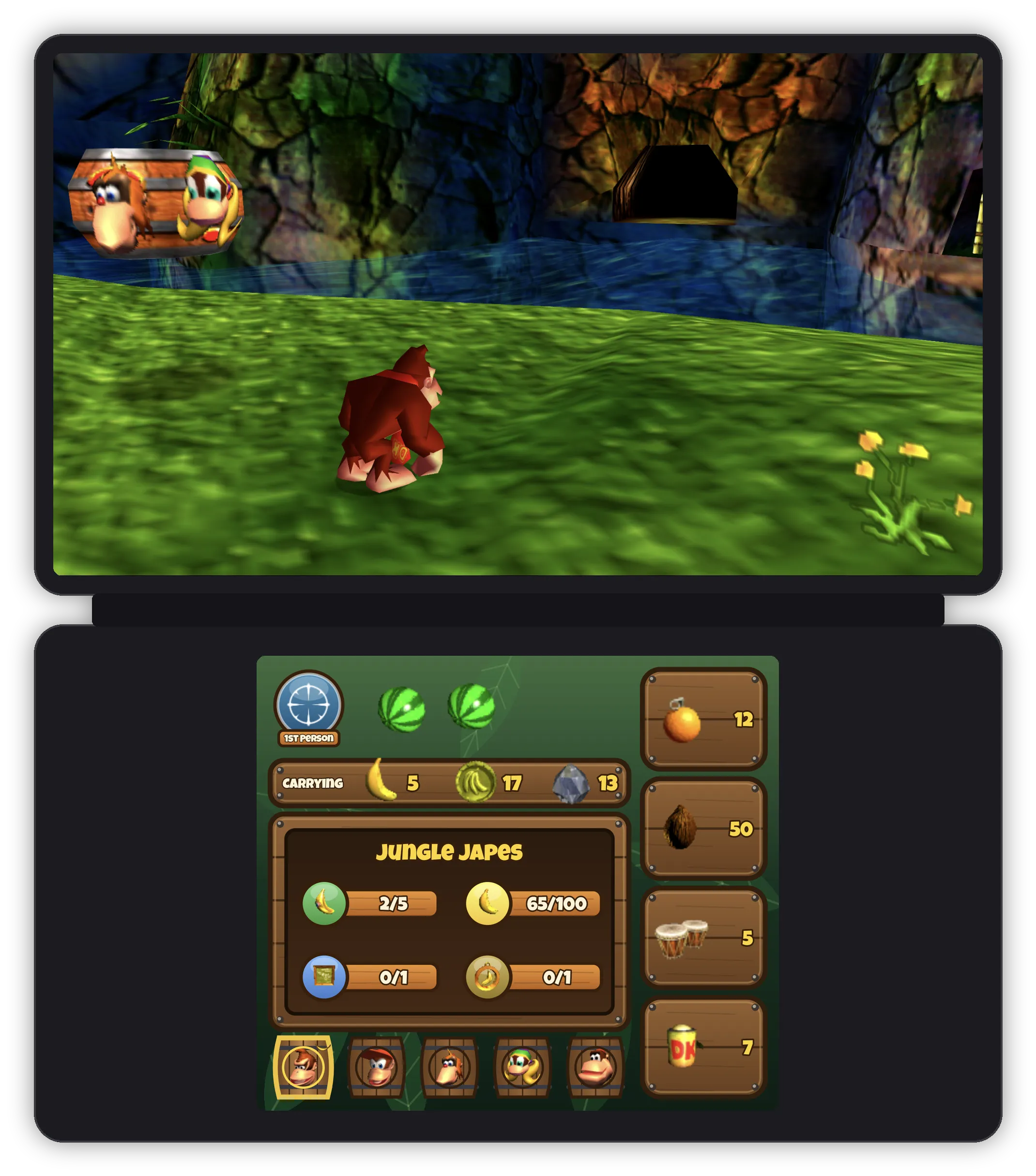
Description
Donkey Kong 64: Recompiled — Android & Dual Screen is an unofficial Android port of Donkey Kong 64: Recompiled, built for dual-screen Android handhelds such as the AYN Thor. The game runs natively on the top screen (a recompilation, not emulation), while the bottom screen becomes a DK-themed companion showing your health, collectibles and touch buttons for moves. It is a beta release tested on an AYN Thor (Adreno 740, Android 13) and a Samsung Galaxy Z Fold 7 (Adreno 830).
Features
- DK64 runs natively on the top screen, built on Donkey Kong 64: Recompiled by Rainchus and team.
- The bottom screen is a DK-themed companion: health melons, the current Kong's collectibles for the level (golden bananas, bananas, blueprints, medals, coins) and Kong tabs.
- Touch buttons for oranges, the gun, instruments, the camera and first person, which press the real game buttons (Z + C) and grey out when they can't be used (no ammo, swimming, climbing, on a vine, paused).
- A move button that changes with the Kong: Lanky's Orangstand toggle, Diddy's Chimpy Charge, Chunky's Primate Punch, or Cancel while a barrel ability is active.
- Pause the game and the bottom screen shows a progress table for every Kong in the level, with fairies, crowns, keys and rainbow coins, plus arrows to browse the levels you've reached.
- Optional Touch Kong Swap: tap a Kong on the bottom screen to swap straight to them, using the bundled Tag Anywhere mod (off by default; enable it in Mods).
- Classic and Modern control presets. Modern gives you an analog camera on the right stick, gyro aiming and non-inverted controls.
- Configure Inputs detects your controller, and the in-game button prompts change to match your buttons.
- Touch controls on screen when no controller is connected, with a second camera stick for the Analog Camera and a layout editor (Input → Touch → Edit Touch Layout).
- Rendering fixes for Adreno GPUs, and an optional custom Vulkan driver (e.g. Turnip) chosen in Video → GPU Driver.
- Optional on-screen frame rate (Video → Show FPS).
- Mod support, including browsing and installing mods in the app.
- Works on phones and foldables too, with touch controls you can rearrange and resize.
Requirements
- An arm64 Android device running Android 9+ with Vulkan 1.1 support.
- Your own NTSC-U 1.0 Donkey Kong 64 ROM. The repository and its builds contain no game assets or ROM data; icons on the bottom screen are read from your ROM on the device.
Setup guide
- Download and install the latest APK from the releases page.
- Provide your own Donkey Kong 64 (USA) ROM when prompted; nothing from the game is included.
- Launch the game on the top screen; the DK-themed companion appears on the bottom screen.
- Configure controls, touch layout, gyro and the bottom screen under Input and Video settings.