AI-generated page. This page was automatically generated from a source and a project page and may contain inaccuracies or outdated information. Please verify details with the original source.
Fallout 2 CE Mobile + Dual Screen
A touch-first Android port of Fallout 2 that turns the second screen of dual-screen handhelds like the AYN Thor into a live console with HUD, automap and Pip-Boy.
Description
Fallout 2 CE Mobile + Dual Screen is an unofficial, fan-made Android fork of Fallout 2: Community Edition with the game rebuilt for touch screens and for dual-screen handhelds like the AYN Thor. It is an early beta and is fully playable.
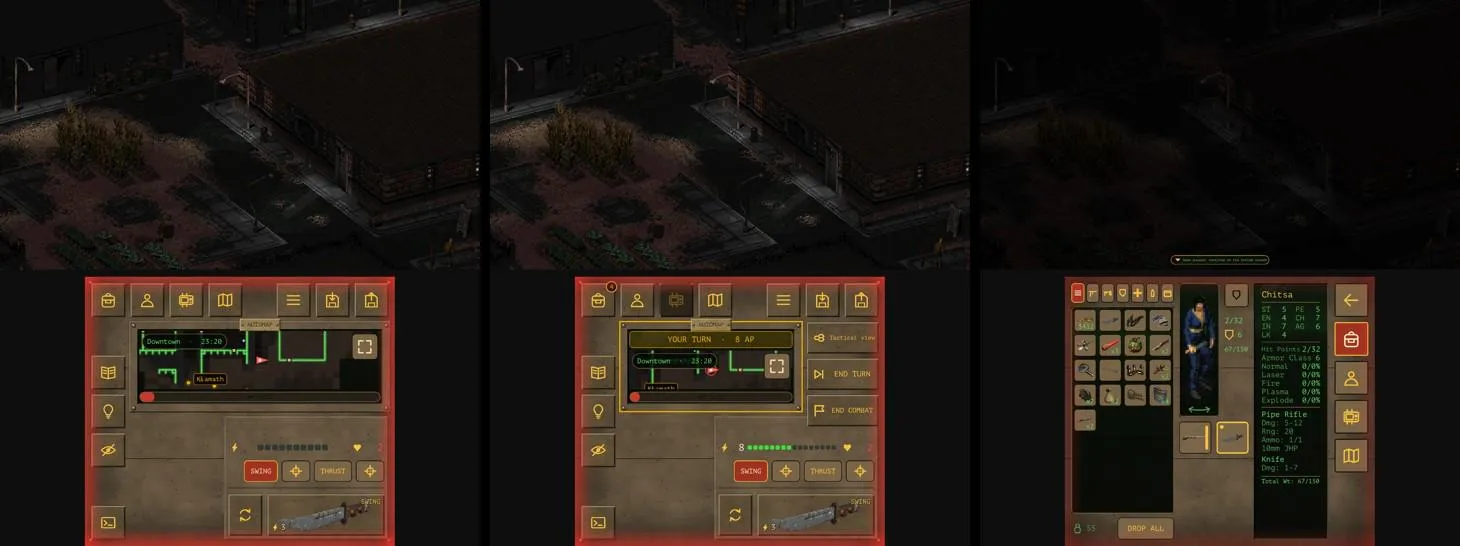
On a two-screen device the game world gets the whole top screen and the bottom screen becomes a live console: the HUD, a live automap that follows you, and the game's screens — inventory, character sheet, Pip-Boy and map — open there while the world waits on top. The bottom screen offers several layouts and screen switching styles:
- Bottom screen layouts: Classic, Map first, Two columns.
- Screen navigation styles: Rail, Slim rail, Top bar.
Controls are touch-first: tap to move and act, long-press for action menus, drag and drop in the inventory, and two-finger gestures to zoom the map. The touch UI covers dialogue, barter, inventory and combat.
No game files are included — the app uses your own copy of Fallout 2.
Features
- Touch UI for fingers: dialogue, barter, inventory, loot, character and level-up, character creation, Pip-Boy (quests, holodisks, maps, videos, rest), automap, world map and town maps, skills, game menu, settings, save/load, main menu, dialog boxes and called shots. There is no cursor: tap to act, long press for the action menu, drag to move items, use two fingers to zoom the map.
- HUD with buttons anchored to the screen edges (sized in dp), attack modes with reload, the message log, and end turn/combat.
- Tactical view in combat: figures turn see-through, and the hexes you can reach plus everyone's hex are drawn on the ground, so a tile behind an enemy can be picked and an enemy chosen by its hex.
- Pip-Boy 2000 theme (default on first launch; Classic in Settings) with a phosphor CRT look, and an upgraded map: pinch/drag to zoom and pan with a recenter button, a legend, elevation switching, a remembered zoom level, and a town area list to jump between a town's maps.
- Mod features built in where the mods cannot run on CE: Inventory Filter's filters and party tabs in loot and barter.
- Saves: a save list sorted by when they were made, quick saves that never overwrite manual ones (their number is a setting), a Continue option in the main menu, saves interrupted midway are restored, and optional marks for saves made with other game files or mods.
- Game files are imported from a folder or any archive (.zip, .7z, .rar, .tar...) copied from a computer, with RPU and other mods and the saves; a Replace game option for new builds and mod updates, and export and import of saves.
Setup guide
Download the latest build (Fallout2-Dualscreen.apk) and install it on your Android device. The app requires Android 7.0 or newer (arm64).
- Copy your Fallout 2 folder from a computer to the phone — as is, or as one archive via cable, cloud drive or messenger. Mods installed there (for example the Restoration Project) and saves come along.
- Start the app and choose that folder or archive.
Recommended setup: Fallout 2 with the Restoration Project (RPU) 2.4.34. Install RPU into the game folder on a computer, then copy the folder to the phone.
Known issues
- Landscape only; portrait is not available.
- Made for phones and tested on Android; the desktop builds keep the original CE windows and are not the focus of this fork.
- Mods with their own script windows are not covered by the touch UI (none of the popular ones use them).