AI-generated page. This page was automatically generated from a source and a project page and may contain inaccuracies or outdated information. Please verify details with the original source.
Grand Theft Companion
A live HUD companion that shows your GTA IV and V stats on the AYN Thor's bottom screen while you play.
Description
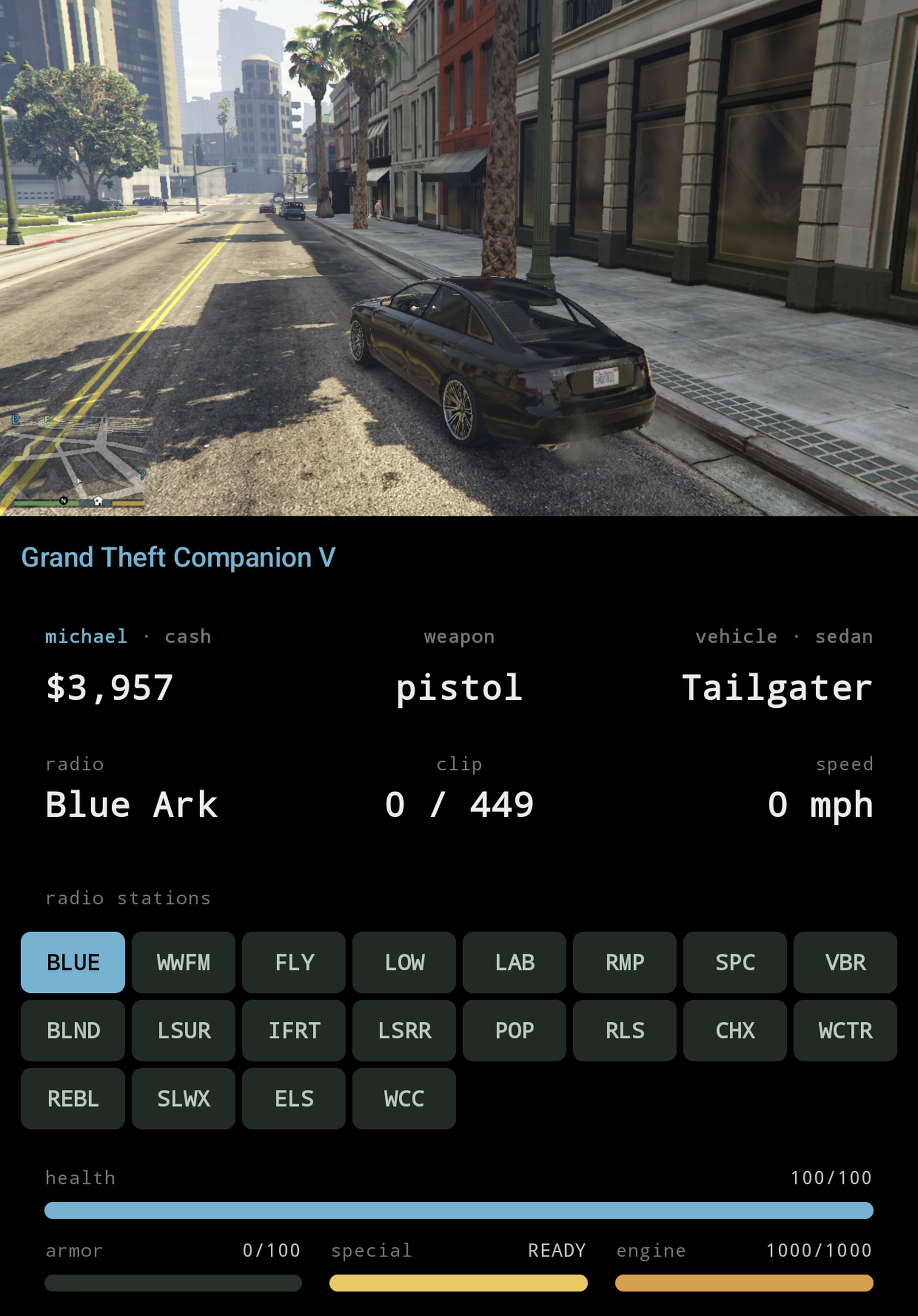
Grand Theft Companion (GTC) is a live HUD companion for GTA IV and GTA V on the AYN Thor. While the game runs on the main screen, the bottom screen shows your cash, health, armor, wanted stars, current weapon and ammo, what you're driving and how fast, and the radio station. When you're in a car you can tap a station on the bottom screen to change the radio.
A small plugin sits in your game folder and sends the game info to the Android app over localhost TCP at 20 Hz; nothing goes over the internet, it all stays on the device. It works with GTA IV (including both DLC episodes) and GTA V story mode. On GTA V, the colors change depending on who you're playing as, and there's a bar for the special ability. The app is the same for both games and picks the right layout by itself.
Features
- Live HUD cards for money, weapon and ammo, vehicle and speed, and radio, with health and armor bars underneath.
- Tappable radio picker while driving.
- GTA IV: HUD tinted by episode (GTA IV, The Lost and Damned, The Ballad of Gay Tony) and six wanted stars.
- GTA V: accent color, name and cash follow the protagonist (Michael / Franklin / Trevor), a "switching…" screen covers the character-switch camera, and a special ability bar (ready / active / charging).
- GTA V: five wanted stars, vehicle class on the vehicle card, altitude for aircraft, "no radio" where the vehicle has none, and a radio picker built from the running game's own station list.
- Experimental map page: mirrors the game's own minimap from the top screen and enlarges it, blips and GPS route included.
Setup guide
- Install a launcher that lets you set per-game environment variables: GameHub Lite, Winlator (or a fork such as Winlator Cmod), or GameNative.
- Have your own legit copy of the game on-device: GTA IV Complete Edition 1.2.0.59, or GTA V Legacy branch on a build your Script Hook V release supports.
- Drop the plugin files next to the game exe:
- GTA IV:
ThorBridge.asi(from the latest release) anddinput8.dll(the 32-bit build from Ultimate ASI Loader releases). - GTA V:
ThorBridgeV.asi(from the latest release), plusScriptHookV.dllanddinput8.dllfrom the Script Hook V zip.
- GTA IV:
- Add the per-game environment variable
WINEDLLOVERRIDES=dinput8=n,bin your launcher. - Install the GTC APK from the latest release and launch it once; the HUD trampolines onto the bottom display.
- Launch the game from the launcher. The HUD lights up the moment the game is in-world.
Known issues
- Only tested on the AYN Thor with GameHub Lite; other dual-screen devices are unverified.
- Switching weapons from the bottom screen isn't available yet.
- The map page's crop is a fixed per-game preset measured on a Thor at default HUD settings; if your game resolution, aspect ratio or safe-zone differs, the minimap may sit off-centre.
- The map is a magnified copy of a small patch of the screen, so it is soft, and it shows whatever is in that patch when the game hides the minimap (cutscenes, pause menu).
- GTA V is story mode only; in GTA Online the plugin publishes nothing but an "online" flag.