AI-generated page. This page was automatically generated from a source and a project page and may contain inaccuracies or outdated information. Please verify details with the original source.
MHP3rd Companion
An offline companion app for Monster Hunter Portable 3rd that puts the game's data on the AYN Thor's second screen.
Description
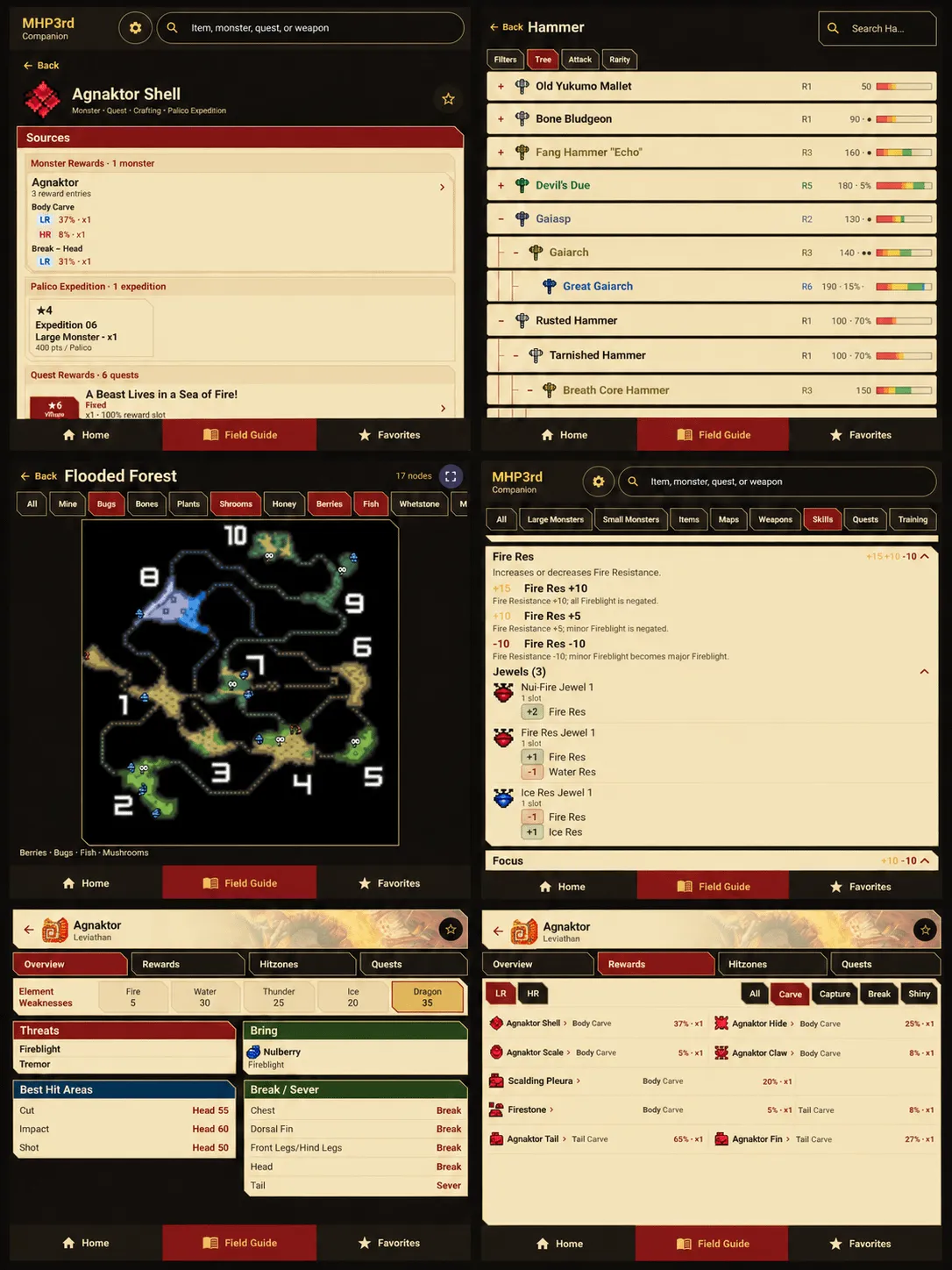
MHP3rd Companion is an offline companion app for Monster Hunter Portable 3rd. It is a database with a UI — it does not interact with any emulator and is not a dual-screen mod. The app is designed around the AYN Thor's second screen, with adaptive layouts that also work on phones and tablets. The data was assembled from multiple (mostly Japanese) databases, cross-referenced with translations and other sources, and all English naming follows the Team Maverick ONE translation.
Features
- All monsters from the game, Large and Small, with rewards, hitzones and recommended element.
- All items with source information, drop percentages and amounts, cross-referenced from different sources, plus every possible use in crafting or trading.
- Maps with interactive nodes, each manually calibrated, with a breakdown of what you can get from the low-rank and high-rank versions of each node and a modal pop-up to pick the intended node.
- Complete weapon trees with crafting paths, sorting by attack power and rarity, and filters for element and decoration slots.
- Complete skills and decorations list with extended descriptions.
- Quests and trainings sections; quests are not clickable but internally contain all reward information, so you can see where to get items such as Commendations.
- Adjustable UI scale from 0.8 to 1.1 in settings.
Setup guide
Download the latest release APK (MHP3rd-Companion-1.0.0.apk) from the GitHub Releases page. Android may ask you to allow installation from the app or browser used to open the APK — only grant that permission to a source you trust. There is no need to disable Android's general security protections. After installing, open the app on the AYN Thor's second screen and adjust the UI scale in settings to your liking.
Known issues
- The weapons section is the least polished part of the UI, especially on narrow screens.
- Phone layouts are tested less thoroughly than the AYN Thor second screen.
- Quests are not clickable.
- Armor and felyne skills from drinks are not included.