CompanionSeptember 26, 2026
Pokémon Emerald Companion
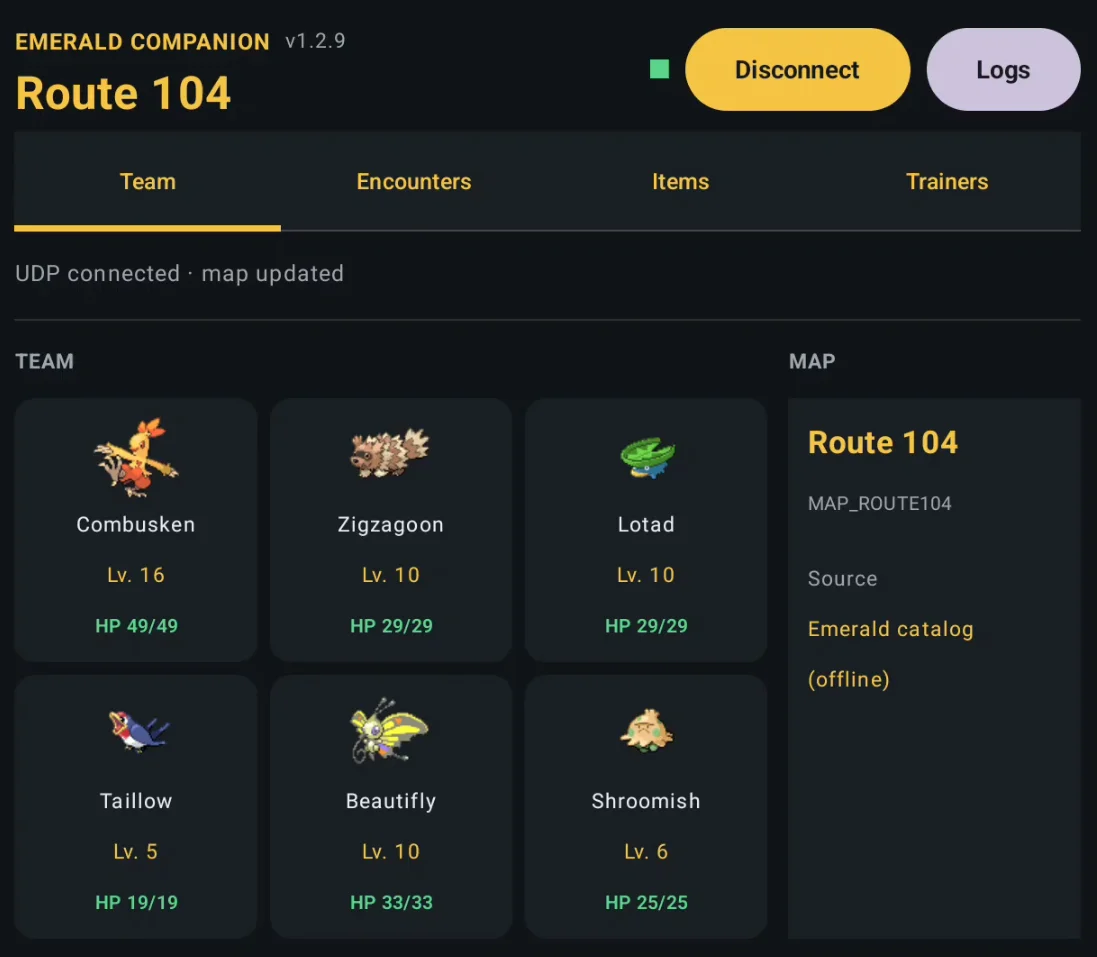
Companion app for the Thor's bottom screen that reads Pokémon Emerald's memory via RetroArch and shows live party, battle, IVs/EVs, encounters and map info.
Description
Thor Companion is an Android companion app for playing Pokémon Emerald on RetroArch from an AYN Thor. The game runs on the main screen; the app occupies the compact 3.92-inch secondary display and shows live game info read over RetroArch's network control interface (READ_CORE_MEMORY over UDP, with a short timeout so gameplay is never blocked).
What it shows on the bottom screen:
- Live party / battle info — stats in a 2×3 grid, IVs/EVs with perfect-31 values highlighted, nature with stat modifiers, ability with its description, happiness, Hidden Power type, held items (marked with a Poké Ball badge), HP colour-coded, and status badges (
SLP,PSN,TOX,BRN,FRZ,PAR). Wild and trainer battles are detected automatically; trainer battles show the opponent's full team of 6. - Evolution chains — shown as a tree with the method (level, stone, trade, happiness, special form, ...), including branching evolutions like Eevee or Wurmple, filtered to species obtainable in Emerald (national dex ≤ 386).
- Map and encounters — current map and encounter list with species, levels, method and capture rate.
- Offline-first data — encounters, trainers, items (including hidden ones), sprites, types, abilities, Pokédex flavor text and evolution chains are bundled locally, generated from pret/pokeemerald data. Only item detail descriptions fall back to the network.
The project was developed entirely with AI assistance; the author notes it worked well in early game but is not fully tested — use at your own risk.
Setup guide
- You need your own Pokémon Emerald Version 1.0 (USA) ROM (the RetroAchievements version) running in RetroArch with the V.GBA-Next core. No ROM is included with the app.
- In RetroArch, enable
Settings > Network > Network Control Interface or Network Commands(with memory reading allowed) and configure the UDP port used by the app. Note: some RetroArch builds show the option but it doesn't actually work — enable it, save, restart RetroArch, and check it's still enabled; if not, use another build. - Install a prebuilt APK from the repository's
releases/folder (or build from Android Studio, Android SDK 35). The device must be able to reach the Thor's IP address.