AI-generated page. This page was automatically generated from a source and a project page and may contain inaccuracies or outdated information. Please verify details with the original source.
P.T. for Android
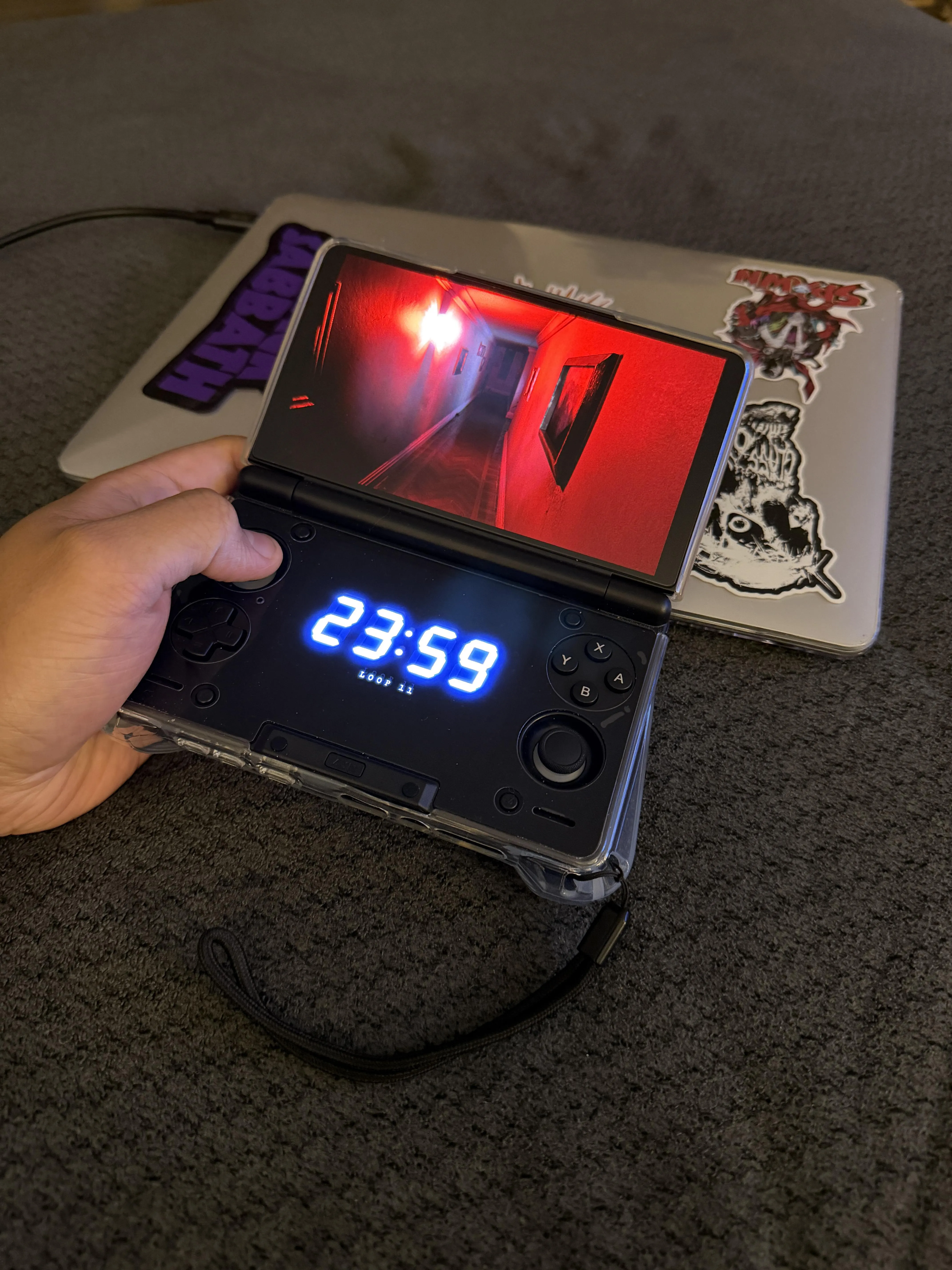
An experimental Android port of LoreanXavier's native PC version of P.T., with dual-screen support for the AYN Thor.
Description
P.T. for Android is an experimental, unofficial Android build of LoreanXavier's native PC port of P.T. It runs the same native code as the PC port — not an emulator — and reads everything from your own copy of the game. No game files are included, and it was developed and tested on one device, an AYN Thor Max.
On the AYN Thor it runs at about 60 fps in the start room and roughly 25 to 35 fps in the heavier later loops.
On dual-screen handhelds like the Thor, the bottom screen shows the hallway's clock frozen at 23:59, the loop you're on, and the radio and other subtitle lines as they play — the whole broadcast, even the lines the main screen skips on repeat loops, with static marking where the voice drops out. You can switch it to clock and subtitles, clock only, dim clock, or off under Display > Second screen. Single-screen devices just play normally.
Without a controller, on-screen touch controls appear: drag on the left half to walk, on the right half to look, with buttons for Use, Zoom, Back, Pause and Name. They fade out after a few seconds without a touch or as soon as a controller is used, and can be turned off under Display > Touch controls > Off.
Near the end the game asks you to say a name: say it out loud and the game hears it through the microphone, or hold both triggers instead. The speech recognizer runs on the device and only listens in that last part; nothing is recorded or sent anywhere, and the app has no internet permission.
Requirements
- Qualcomm Adreno 6xx or 7xx (Snapdragon) GPU; tested on the Adreno 740 (Snapdragon 8 Gen 2) only.
- Android 10 or newer, 64-bit.
- Not supported: Mali, Immortalis, Samsung Xclipse, PowerVR, Google Tensor, MediaTek — the game needs a texture format those GPUs lack.
- A built-in or connected gamepad, or the on-screen touch controls.
- Your own copy of P.T. (CUSA01127, the US release; the European and Japanese releases should work too), either as a fake PKG (.pkg) made from your dump or as the three files from a dump folder: chunk1.psarc, texture.qar and pathid_list_ps4.bin.
- If your package came zipped (.rar, .zip, .7z), unpack it first with a file manager such as ZArchiver.
- A store (PlayStation Store) PKG will not work: it is encrypted for the console that owns it, and this app does not touch that.
Setup guide
- Download the latest PT-Android-*.apk from the Releases page and install it.
- Start P.T. and choose "Choose your P.T. .pkg", then pick your package in Android's file picker. Setting up takes a minute or two and needs about 1.4 GB free. Afterwards you can let the app delete the .pkg to get that space back.
- From then on the game starts straight away.
- If you have the three extracted files instead, choose "I already have the extracted files", copy them into your Download folder (loose or in a CUSA01127 folder), and allow "All files access" when asked.
Known issues
- The speech recognizer is new on Android: if it doesn't hear you, hold both triggers.
- The PC extras that need a desktop (upscalers, ray tracing, VR, enhanced textures, loop previews) are off.
- A phone hooked up to a TV or monitor (USB-C to HDMI, or some casting setups) counts as a second screen, so the clock may show up on the TV while the game stays on the phone. Turn it off under Display > Second screen > Off.