AI-generated page. This page was automatically generated from a source and a project page and may contain inaccuracies or outdated information. Please verify details with the original source.
EmulatorOctober 22, 2026
RE2DS: Resident Evil 2 Dual Screen
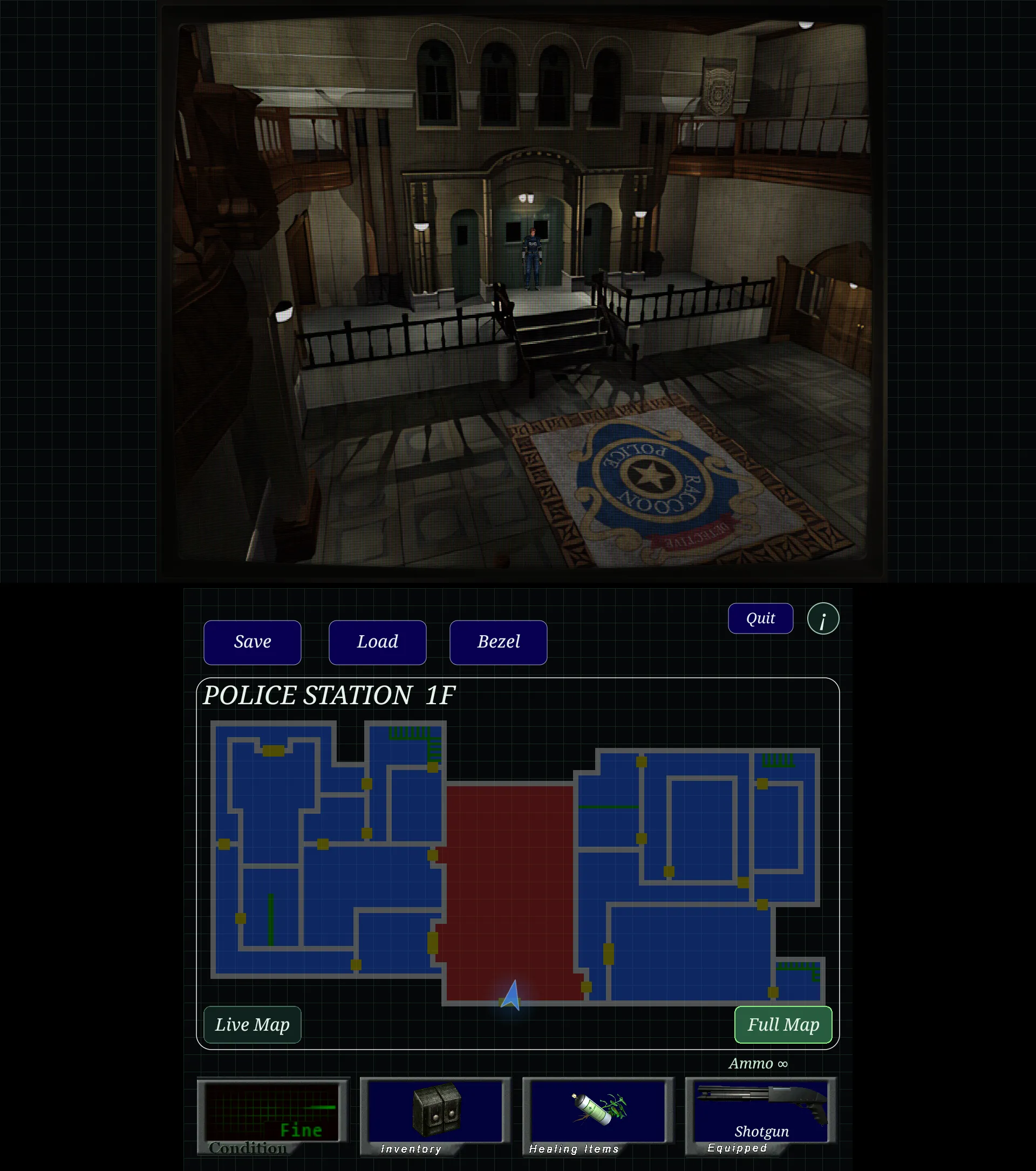
A modified Dolphin emulator that brings Resident Evil 2 to the AYN Thor's dual screens, with gameplay on top and an interactive map, health and inventory below.
Description
RE2DS is a modified Dolphin emulator that brings a new way to experience Resident Evil 2 on the AYN Thor, making use of both screens: gameplay on the upper screen, with an interactive map, health display and inventory on the lower screen.
Features
- Gameplay on the upper screen with an interactive map, health display and inventory on the lower screen.
- Track your character and enemies.
- Add notes.
- Switch weapons.
- Use healing items and tools through the lower-screen interface.
- Quick Save and Load controls.
- Customizable bezel.
Requirements
- AYN Thor handheld.
- Resident Evil 2 (USA version, GHAE08). Other versions have not been tested.
Setup guide
- Download and install the latest RE2DS release (APK) on the AYN Thor.
- Download the included RE2DS-GameCube.json profile.
- To make RE2DS appear in Cocoon's emulator list, import the JSON profile:
- Go to Add Platform.
- Press Y.
- Scroll down to Import Custom Platforms.
- Select RE2DS-GameCube.json.
- Select RE2DS as the emulator for Resident Evil 2.