AI-generated page. This page was automatically generated from a source and a project page and may contain inaccuracies or outdated information. Please verify details with the original source.
Sephiria Companion
A second-screen companion for the PC game Sephiria that shows a live HUD, floor map, backpack and combo tiers on the AYN Thor's second display. English and Russian interface.
Description
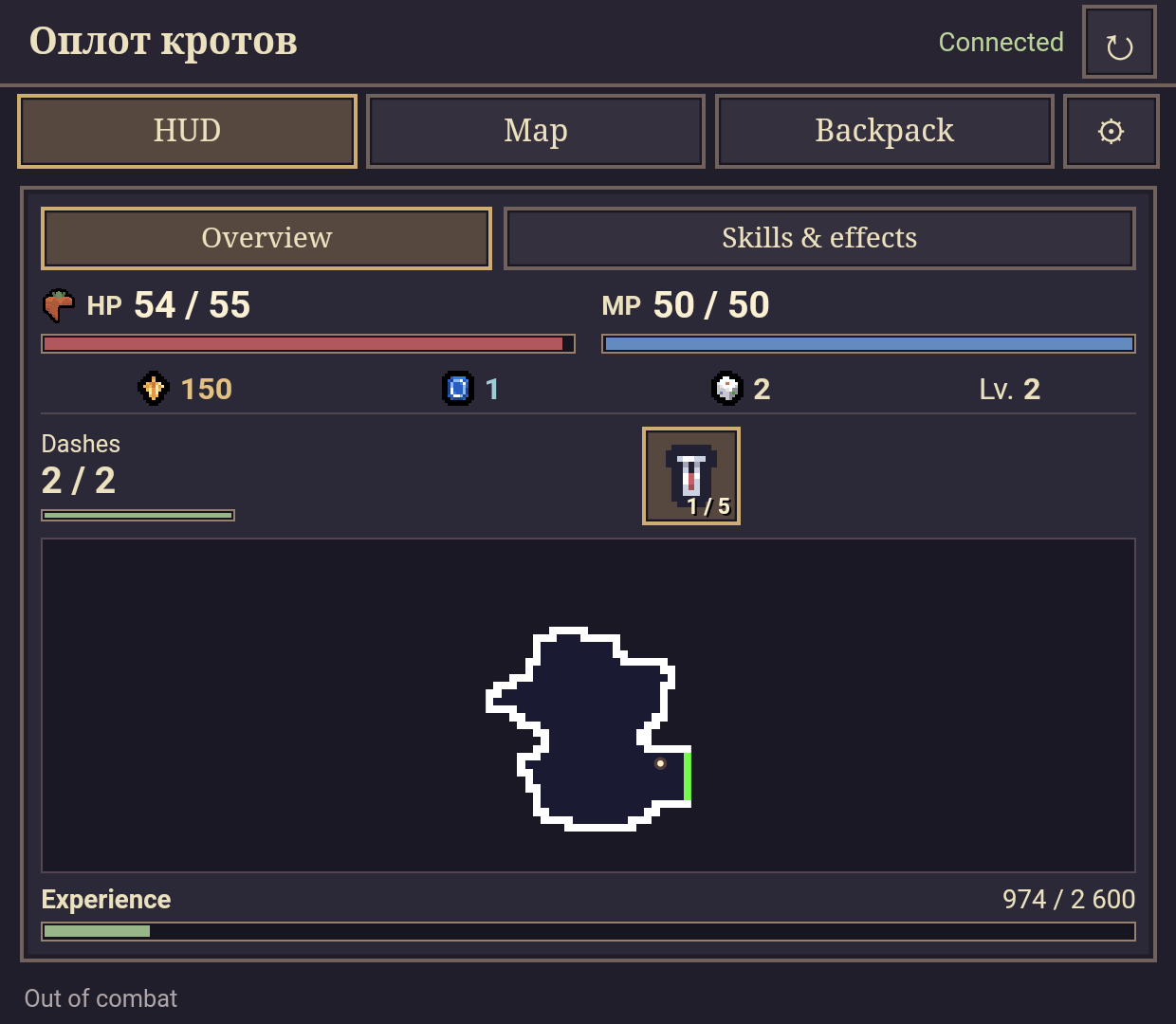
Sephiria Companion is a second-screen companion for the PC game Sephiria, built and tested on the AYN Thor. The game runs on the PC as usual, while the handheld's second display shows a touch interface driven by the running game's live state: health, mana, currency, experience, the floor map, the backpack and combo tiers. Other dual-screen Android handhelds may also work with a compatible PC game build running locally.
The project has three parts: a C# AddOn that runs inside the game and reads its live state, a local HTTP/event server that streams that state over localhost, and an Android WebView app that renders the companion interface on the second display. The interface supports English and Russian; item names and descriptions follow the game's language.
Features
- Live HUD — health, mana, currency, experience, dashes and potions, with Overview and Skills & effects pages and a room minimap.
- Floor map — revealed rooms with an animated current-room highlight; tap a revealed room to travel, drag to pan the map, and use the zoom controls.
- Backpack — a 24-slot grid with drag and drop between cells, tablet rotation, and visible bonuses and penalties; tap an item for its effects and conditions.
- Combo tiers — artifact combos with levels; tap or hold a combo to view all its tiers.
- Bilingual interface — English and Russian UI; item names and descriptions follow the game's language.
- Live connection — the AddOn streams the running game's state to the companion over localhost, with a connection indicator and a Refresh button.
Requirements
- Android 8.0 or newer on the handheld.
- A compatible PC version of Sephiria with its built-in AddOn loader.
- The game runtime and the Android app must share localhost networking.
Setup guide
- Download the latest release from the Releases page:
SephiriaCompanion-<version>.zip(the complete package with AddOns, APK and bilingual instructions) or the standaloneSephiriaCompanion-<version>.apk. - Copy the release archive's AddOns folder into the game directory, next to Sephiria.exe.
- Install SephiriaCompanion-
.apk on the handheld. - Start Sephiria, load a save, open the companion and tap Refresh.
Restart the game after replacing the AddOn. The current release is 0.4.2.