AI-generated page. This page was automatically generated from a source and a project page and may contain inaccuracies or outdated information. Please verify details with the original source.
SkyrimSE-DualScreen
Play your own Steam copy of Skyrim Special Edition on the AYN Thor with a live dual-screen companion on the bottom screen.
Description
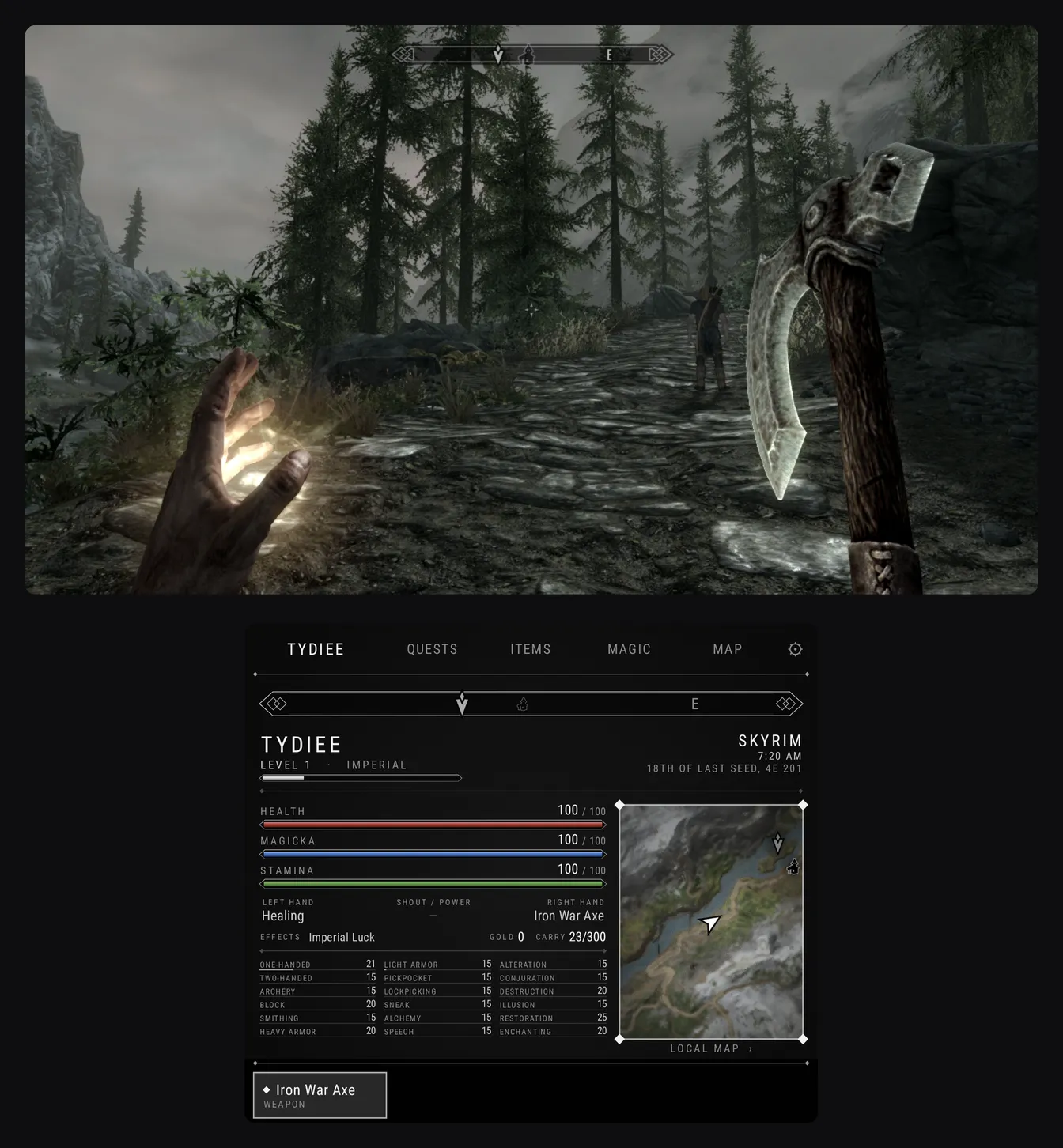
SkyrimSE-DualScreen runs the Steam copy of Skyrim Special Edition you already own on the AYN Thor's top screen and turns the bottom screen into a companion styled like Skyrim's own menus. Everything on the bottom screen is live while you play, and the game keeps running while you use it. Hide the in-game compass and health bars in ⚙ and the top screen is just Skyrim. Nothing from Skyrim is included — the game files, the map and the icons all come from your own copy, and saves sync with Steam Cloud.
Features
- Character: stats, gear, effects, skills, minimap
- Compass: the game's own compass, mirrored every frame
- Quests: objectives, tracking, "Show on map"
- Items & Magic: equip to either hand, use potions
- World map: with fast travel
- Favourites bar: tap to equip
- 60 FPS at 720p by default, with Balanced (45) and Cool (30) options
- Overheat protection, and sleep any time (the game freezes and resumes)
- FPS/stats overlay, and optional frame gen with your own Lossless.dll
- In-app Nexus Mods browser and mod manager
- No Script Extender needed
Requirements
- An AYN Thor
- Skyrim Special Edition on your Steam account (version 1.7.104, the current Steam build)
- A PC to copy the game folder from once
- About 3 GB free
- Optional: a Nexus Mods account (free is fine) if you want mods
Setup guide
- On your PC, copy Steam/steamapps/common/Skyrim Special Edition to the Thor.
- Download and install the latest SkyrimSE-DualScreen APK from the Releases page.
- Open the app and follow the three steps: allow file access, pick your Skyrim folder, and sign in to Steam (QR code or password). The engine downloads in the background while you do this.
- Press Play and accept the EULA. The first launch takes a few minutes, once; after that you reach the menu.
- After signing in to Steam once, you can also play offline.