Tomba! 2 Recompiled Dual Screen
A native Android recompilation of Tomba! 2 with a live second-screen companion — items, events, status and a walkthrough reader on the AYN Thor
Description
Tomba! 2 Recompiled Dual Screen is a static recompilation of Tomba! 2 — The Evil Swine Return (USA, SCUS-94454) running natively on Android, with a live second-screen companion for clamshell handhelds like the AYN Thor. This fork adds the Android port and the dual-screen features.
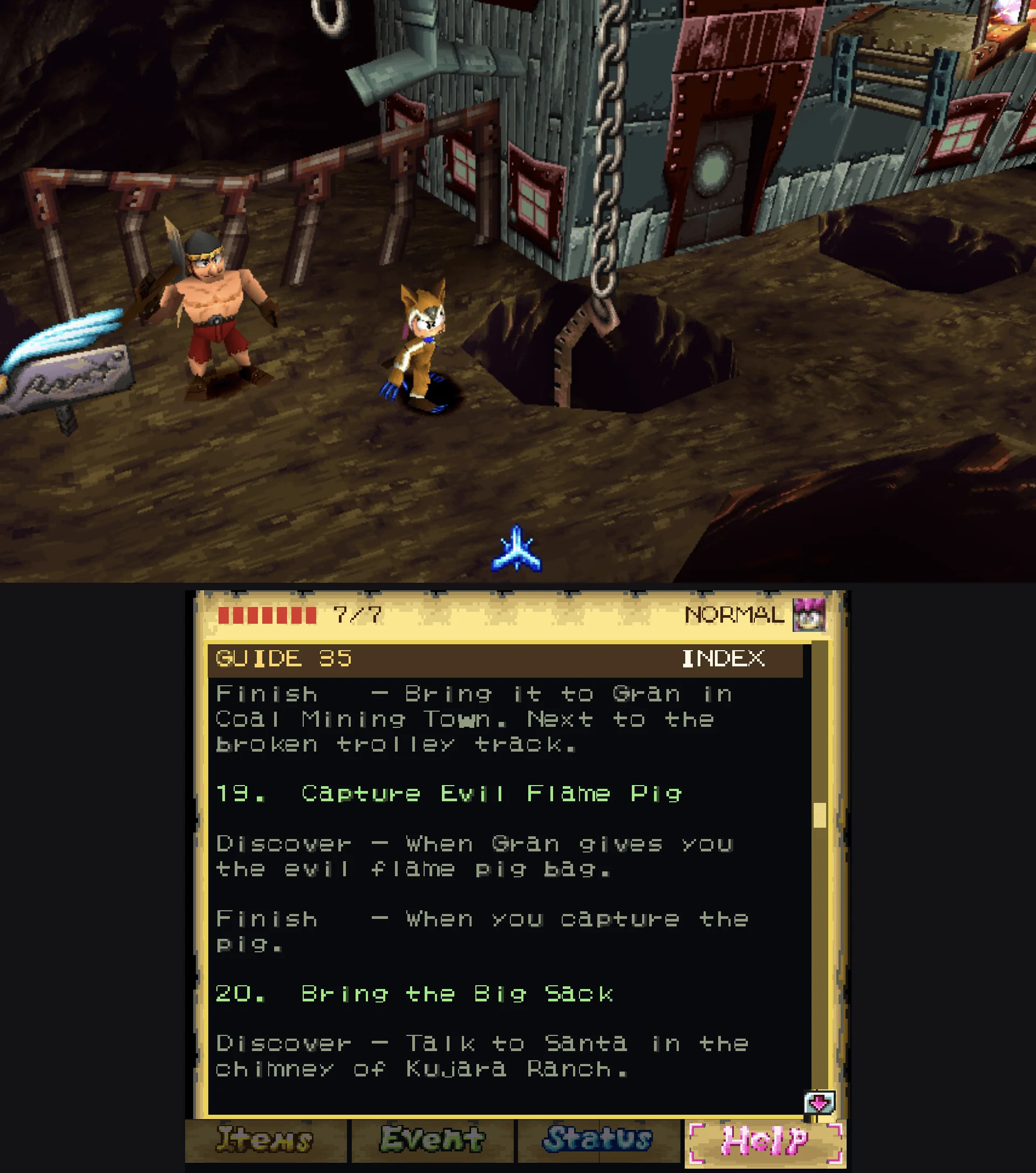
The whole idea is the second screen: your items, events and status live down there permanently, read live from the game's memory rather than a static overlay, while the game keeps running untouched up top — no pausing the world to check what you're carrying. The companion has Equip / Usable / Key tabs, and tapping an item uses or equips it without opening the game's own book. There's also a Help tab where you can load any plain-text walkthrough from your device and read it on the bottom screen while you play.
Other features include native widescreen (16:9 / adaptive rendering that reveals more of the world instead of stretching it, with movies and 2D screens pillarboxed at their authored 4:3), optional 60 FPS frame interpolation built from true intermediate geometry, a multi-pass CRT Royale filter (Curved or Flat, on either screen or both), an on-screen pad with a custom layout editor, physical-controller mapping, and memory-card import/export. A prebuilt native code cache ships with the APK, so the game dispatches compiled ARM64 instead of interpreting. No PlayStation BIOS is needed — the MIT-licensed OpenBIOS from PCSX-Redux is used.
You must supply your own copy of the game — no game data is redistributed. Requires a Tomba! 2 (USA, SCUS-94454) disc image (.chd, or .cue + .bin) and Android 9+ arm64.
Setup guide
- Install the APK from the Releases page.
- Open it, choose Add your disc, and pick your disc image.
- Press Play. (First launch unpacks the native code cache, so it takes longer than later ones.)