AI-generated page. This page was automatically generated from a source and a project page and may contain inaccuracies or outdated information. Please verify details with the original source.
Wayfinder
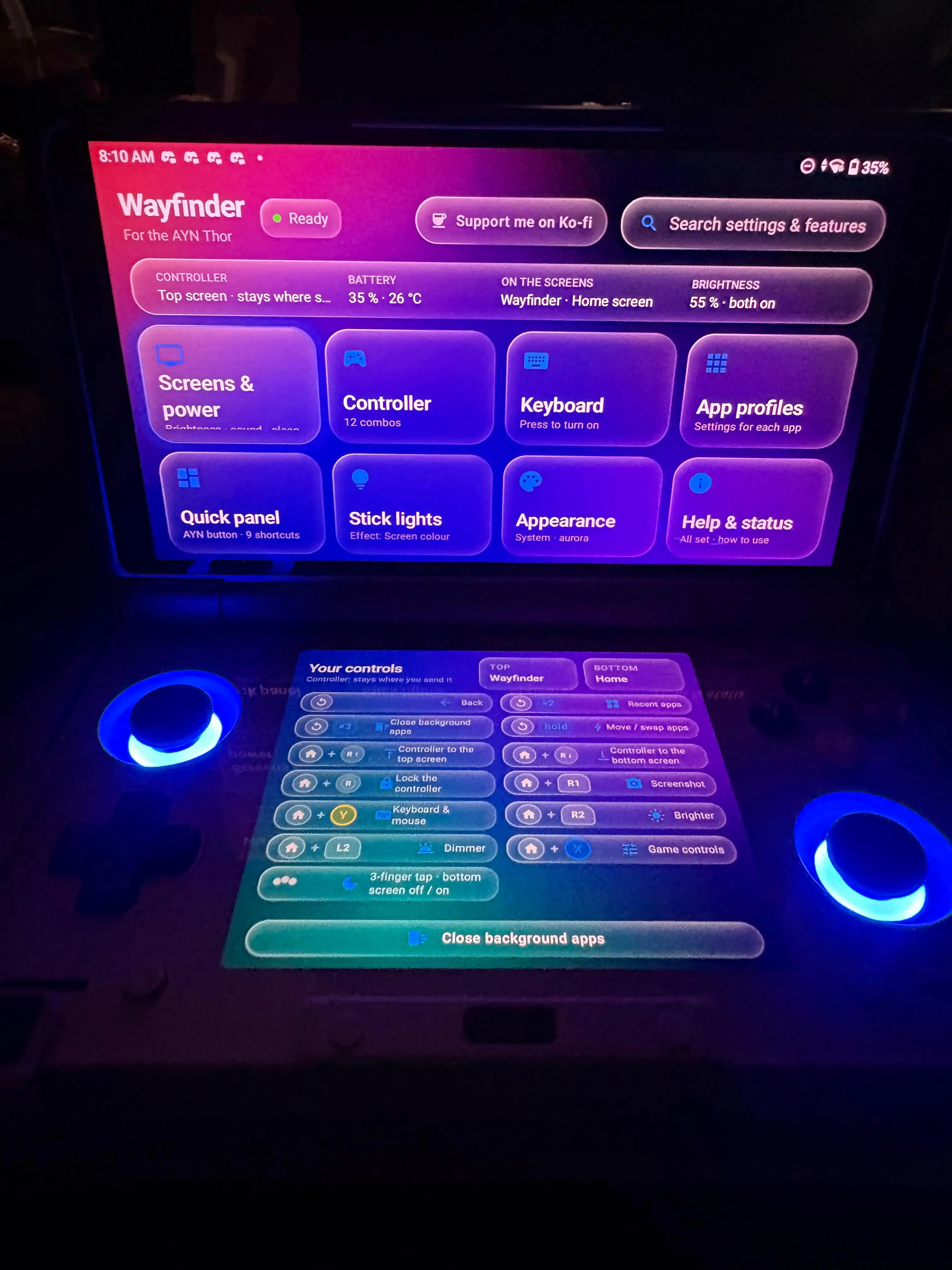
Wayfinder moves apps between the AYN Thor's two screens, sends the controller where you want it, and puts the Thor's settings one press away.
Description
Wayfinder is a free app for the AYN Thor that makes its two screens work as one. It moves and swaps apps between the screens live — the app keeps running and keeps its state — sends the controller to the screen you want, gives every game its own buttons, and puts the Thor's settings one press away, all without leaving your game. A quick review calls it much better than the default AYN home button menu, solving major complaints with the system's UI and navigation: better controller assignment between the top and bottom screens, a more intelligent keyboard, audio mixing, volume button fixes and much more.
Features
Move and swap apps between the screens live — the app keeps running (hold Back). Combos on Home, Back and the AYN button for 30+ actions, with a cheat sheet when you hold Home. Game controls (Home + X): remap any button per app or per game — keys, mouse, macros, gyro. Keyboard & mouse (Home + Y) on the other screen: PC keys, a trackpad (with a Touch mode), your own pad, the game's guide. Quick panel (AYN button) over your game: brightness, volume, performance, fan, 45 shortcut tiles. Display & sound: brightness and volume per screen, volume boost up to +12 dB, a speaker fix with EQ, 60/120 Hz, and an FPS counter with battery and temperatures. Per-app profiles: screen, performance, fan, refresh rate, lights, controls. Stick lights, sleep & standby actions, a game guide with notes, screenshots and screen recording. No root, no PC: one-press setup.
Setup guide
Download the latest release from the GitHub releases page and install the APK on your Thor (stock system, "Force SELinux" off — the default). No root, no computer and no Shizuku are needed. If you used the beta, uninstall "Thor Wayfinder" first. Open Wayfinder: the welcome tour sets everything up and teaches the combos by doing them. For step-by-step help on every feature, check the project's wiki.
Known issues
Since version 1.4, Wayfinder leaves the CPU to ClusterTune and Pulse, so they can stay installed together. With SleepManager, Wayfinder's sleep actions and lid guard stay off unless you turn them on. If another app does the same job as a part of Wayfinder (Mjolnir, BiFrost, OdinTools), the Hub tells you what to do. If ClusterTune and Wayfinder gave you trouble before, restart your Thor once after updating. A few heavy or unusual apps may restart or refuse to move when switched between screens.